
If you are having trouble accessing your Canvas Observer account, please try following the appropriate guide below:
I have accessed my account before, but I can't remember my credentials
I haven't logged into my Observer account before
I have accessed my account before, but I can't remember my password:
If you already have an Observer account, but you are having trouble accessing it, follow these steps:
- Go to this link: orca.instructure.com/login/canvas
- Click "Forgot Password?"
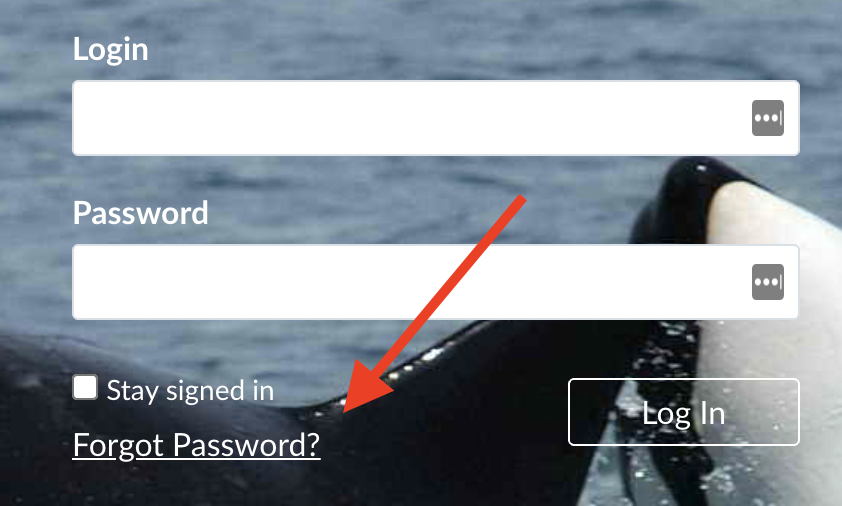
- Enter the email address for your account, and select "Reset Password"
- A password reset email will be sent to the email address you entered within 30 minutes. Please double check your spam folder for the email from Canvas, and ensure that you entered the correct email on the password reset page.
- If you do not receive the password reset message from Canvas, reach out to the tech team for support: How do I get technical support?
I haven't logged into my Observer account before:
Within a week of when you student is enrolled at ORCA, a parent/guardian Observer account will be automatically created in Canvas for the Observer email included in your student's records. When your Observer account is automatically created, you will receive an email from Canvas with instructions for how to access the account and set a password for it. Please double check your spam folder for this email if you have not received it.
If you cannot find this email, or if you need to create an Observer account for a new email address, you can always manually create the account by following these instructions:
How do I set up my family Canvas Observer account for my student(s)?