
If a teacher ever links to a page on vocesdigital.com in a Canvas course, you will need to log in before you can access the page. Here are the steps for getting logged in:
- Click the link in your Canvas course to be taken to Voces Digital.
- Click "Login" on the Voces website.
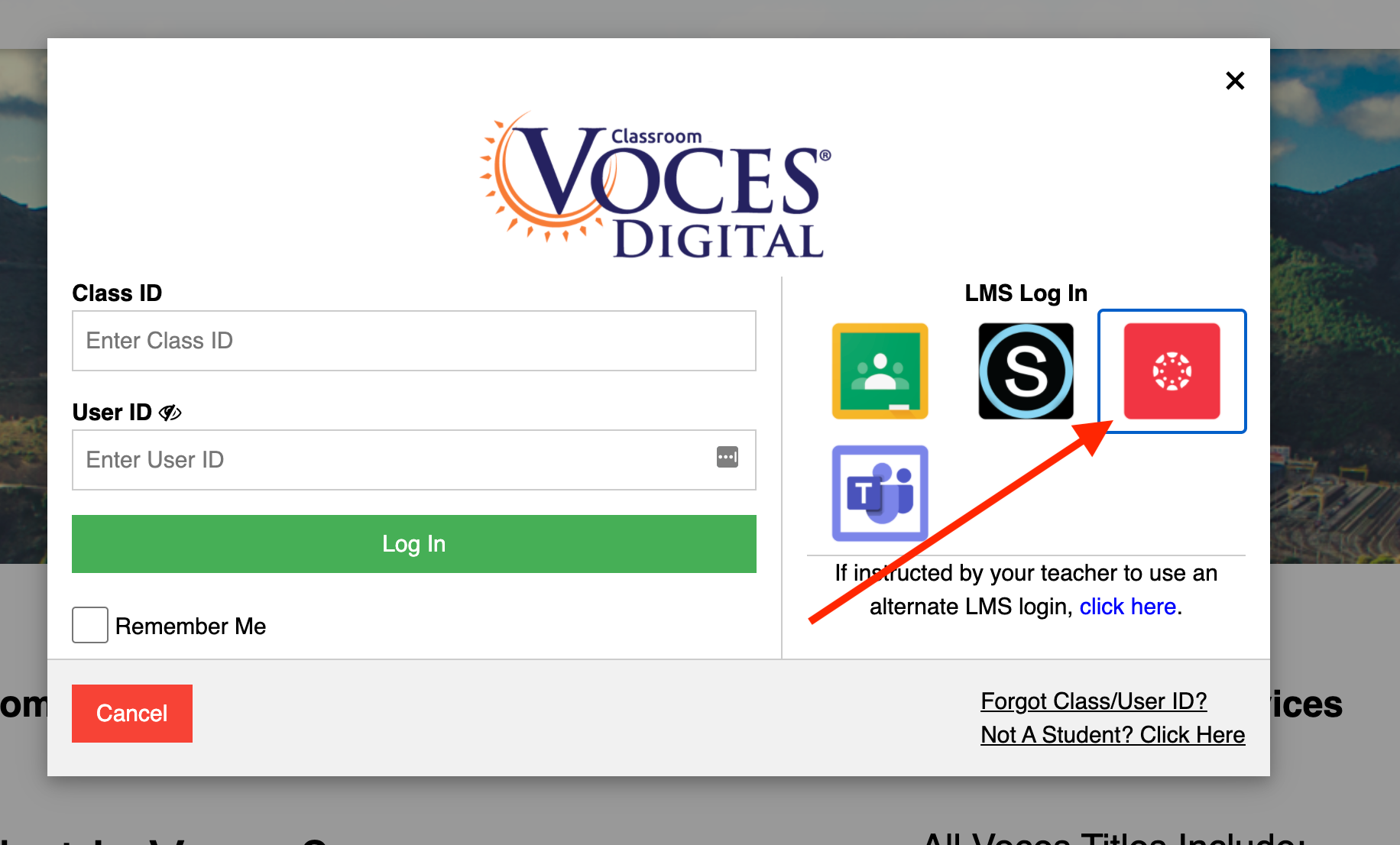
- In the login window, select the Canvas icon.
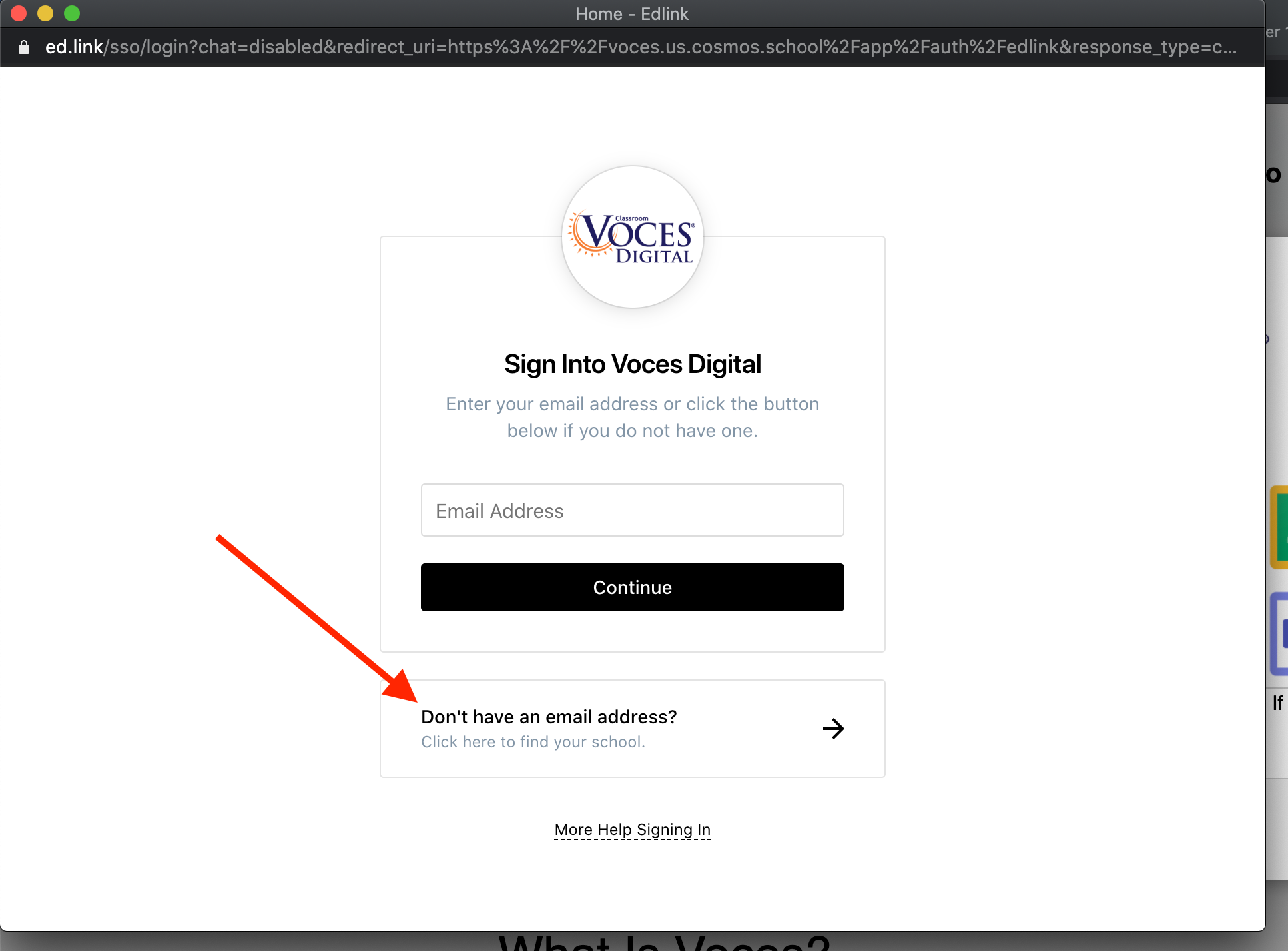
- In the window that opens, select "Don't Have an email address."
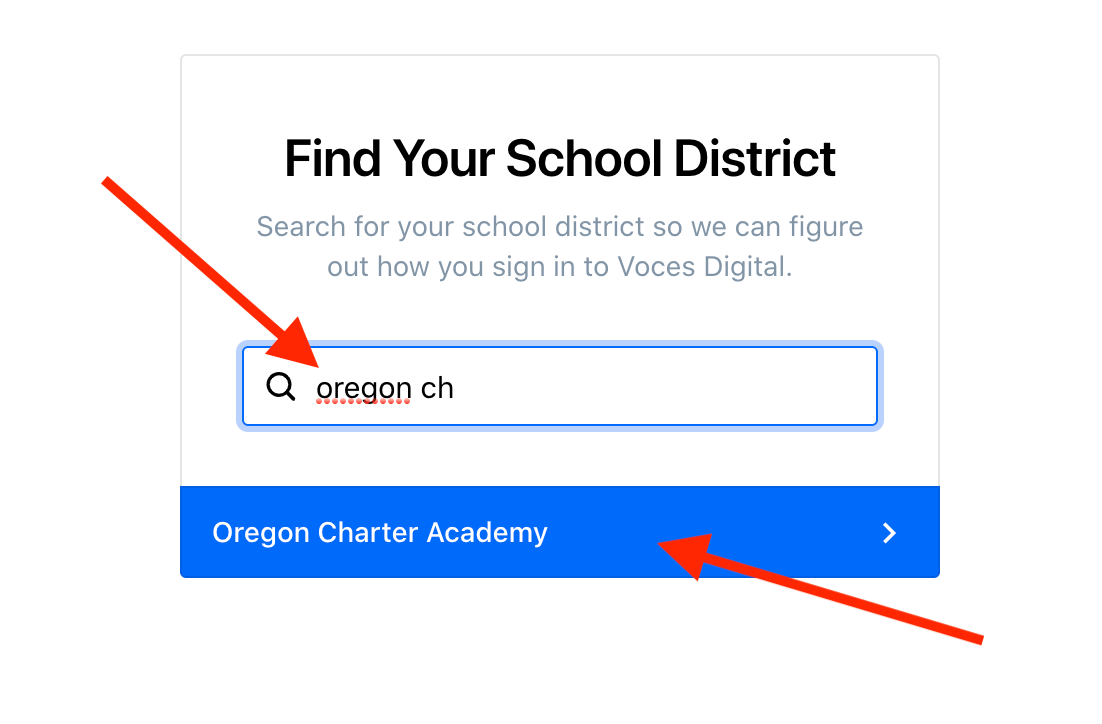
- Search for and select "Oregon Charter Academy."
- Click "Authorize."
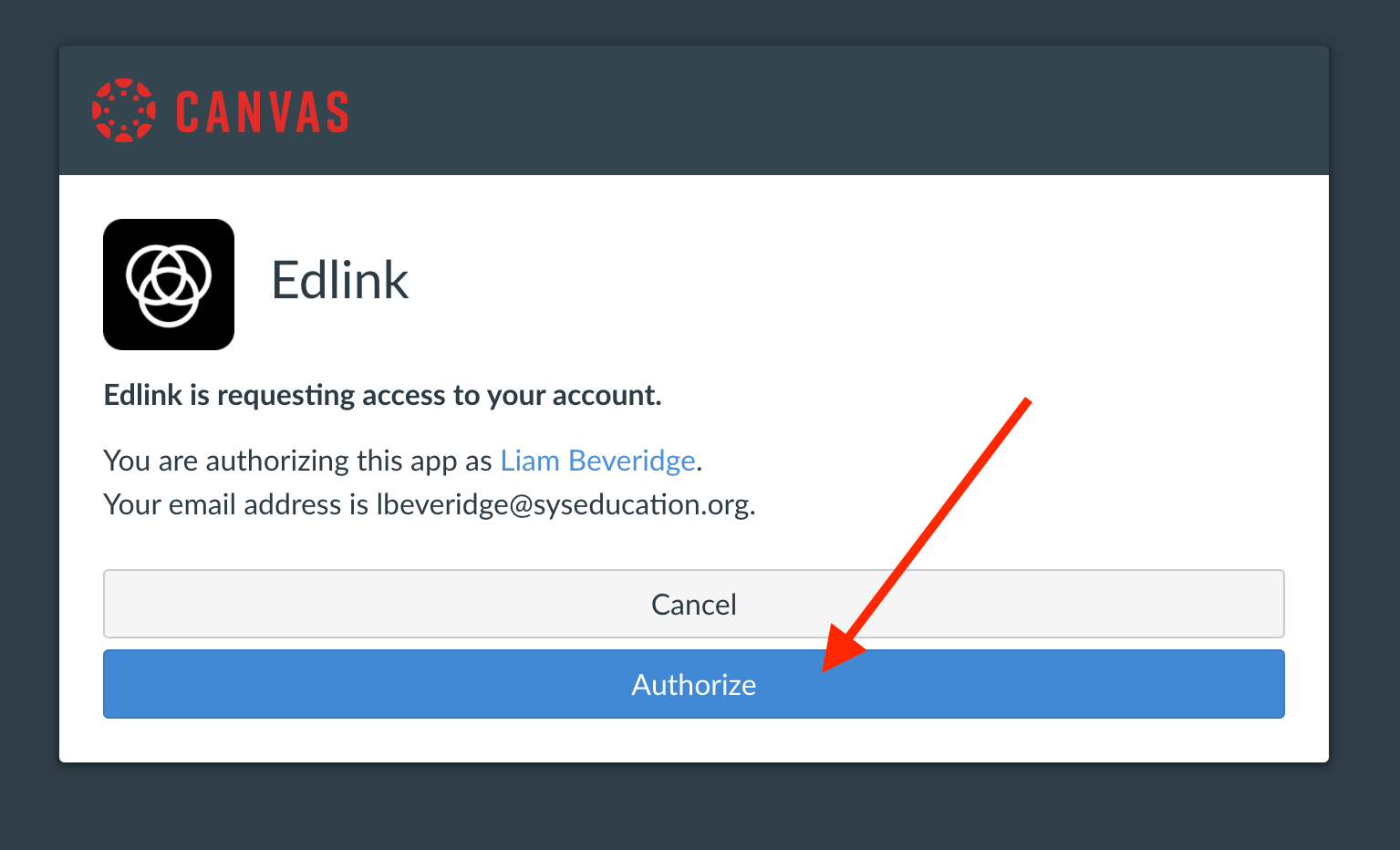
Once you click "Authorize" you should be taken straight to the page that you were originally linked to! If you run into any issues, please don't hesitate to get into touch with the Tech Team. The following article includes details on how to get support: