
In addition to viewing student grades, observers in Canvas can view teacher feedback and comments on student's assignments.
Viewing Feedback
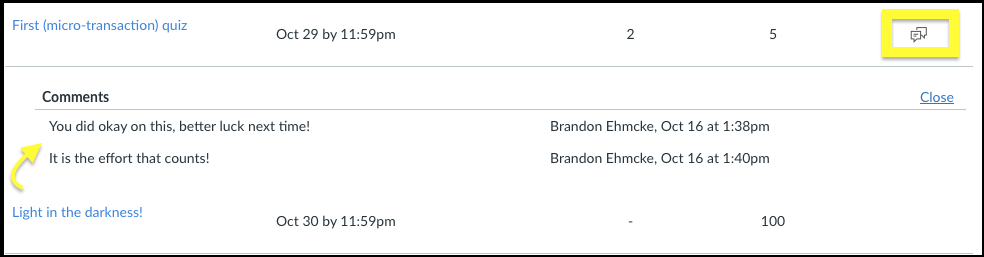
Once you are in the gradebook for a course in Canvas, you can see a list of submitted assignments. If a teacher has submitted feedback for an assignment, there will be a  icon to the right of the assignment.
To view assignment feedback, click on the icon.
Viewing teacher annotations
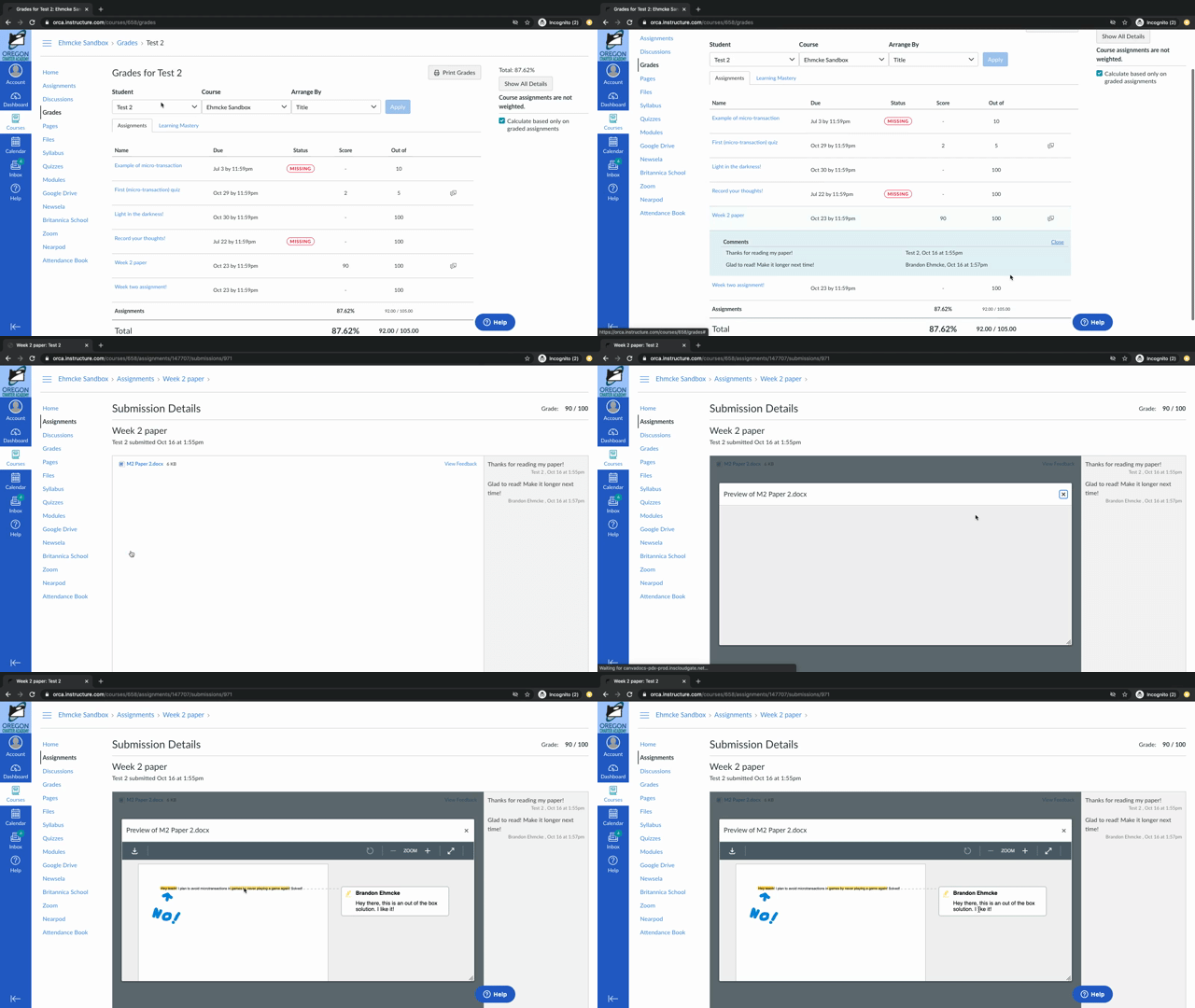
With some assignments, specially written ones teachers may leave notes directly in the assignment. To view these, click the title of the assignment in the gradebook to be taken to the submission page for the assignment. Here you will see the feedback on the right hand side of the page.
To view even more possible annotations click View Feedback to open up the assignment submission. Here you can view the assignment and any highlights or annotated notes in the file!
Need more help?
If you need further assistance with observing student grades, please feel free to reach out to us. Read this article for instructions on how to get ahold of the helpdesk team!
You can also check out our Observer Day in the Life course for a more in depth look into Observer Accounts.