
You can confirm the mailing address and contact information of a student on file by following the steps below:
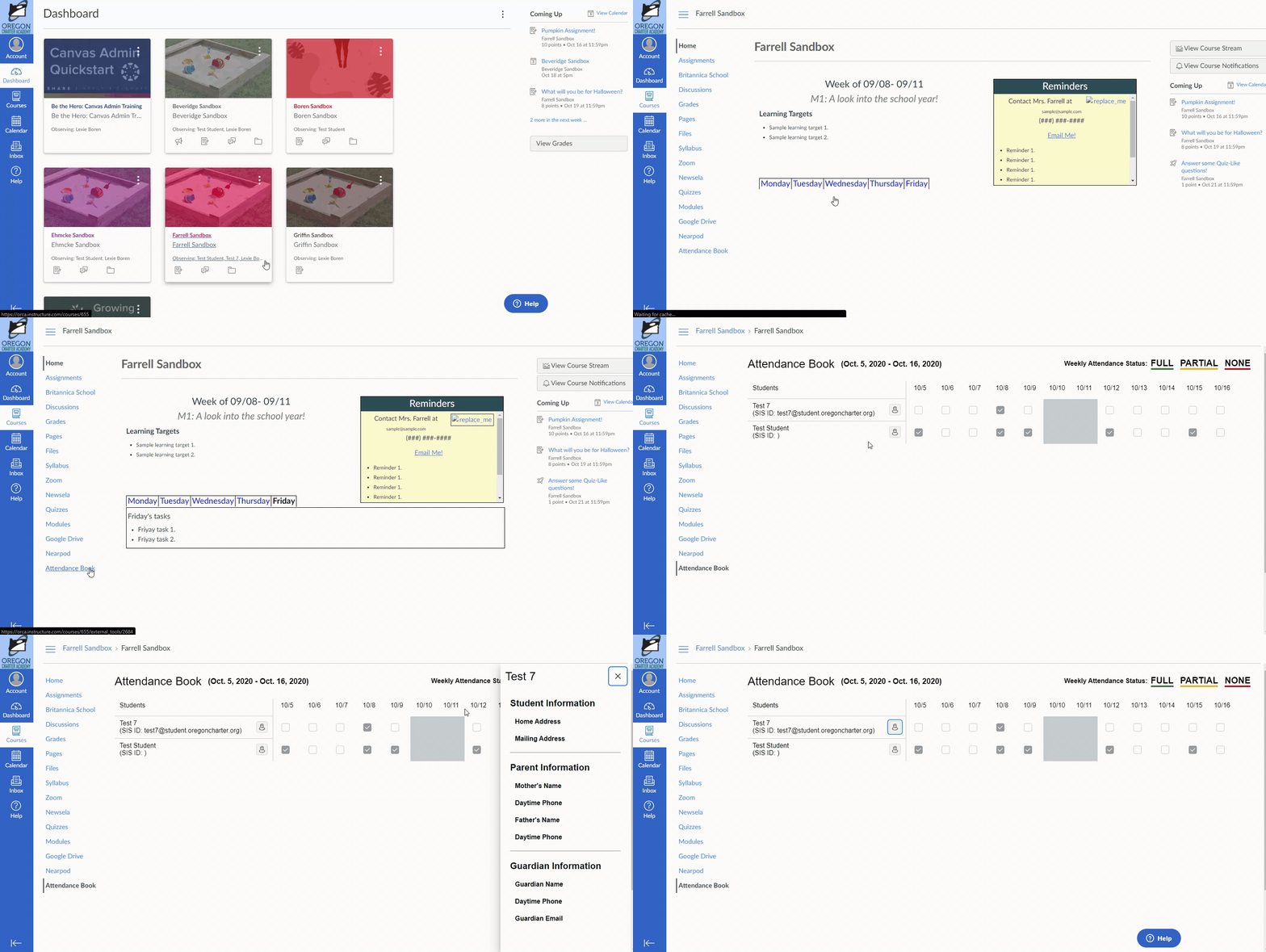
- Log into your Observer account in Canvas.
- Select one of your student's courses on your dashboard.
- Next, click on Attendance Book found on the left of the navigation menu.
- From there, click on the portrait icon next to your student to view the information on the right. Here, you can confirm that the correct information is listed for your student's address.
Below is a GIF showing visually how to achieve the steps from above.
If you find that the address listed for your student is incorrect or out of date, please reach out to ORCA to update the address on file for your student. You can get in touch with ORCA at info@oregoncharter.org. Please note that if you just recently updated your address with ORCA, it can take some time for this change to be reflected in Canvas.
If you have any trouble following the steps above, please reach out to our support team! Take a look at the article below to see how you can reach us:
How do I get technical support?