
Unlike a smartphone, your Chromebook can't sense which way is up or down and change your screen accordingly. If your screen ever gets rotated out of its usual position, follow this guide to get it back in place:
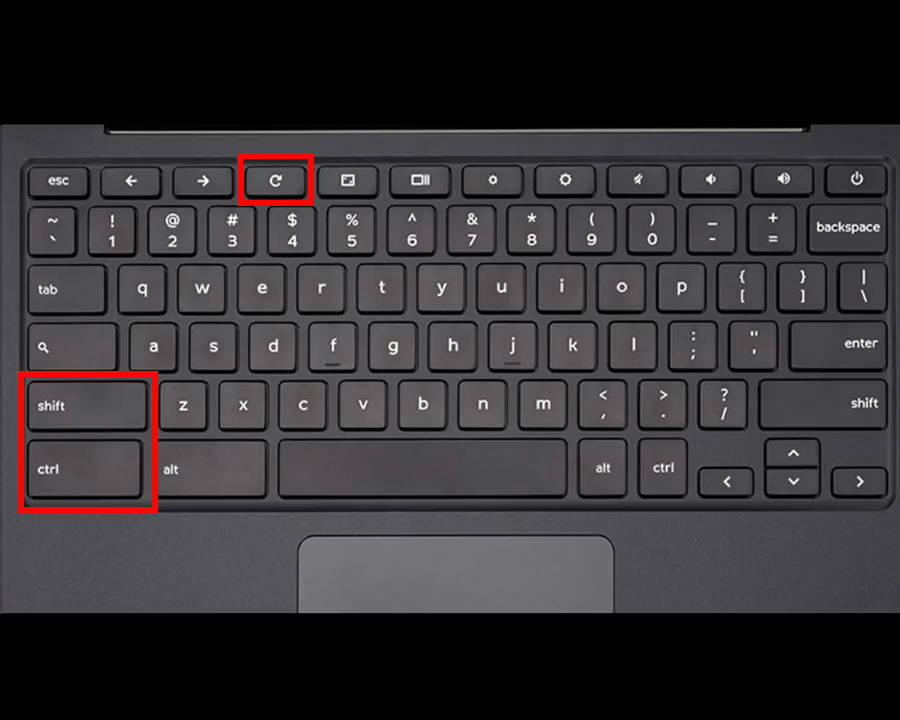
By using the Ctrl + Shift + Refresh, you can rotate the screen by 90 degrees. Use this key combination as many times as needed to get your screen back into alignment.
Still not working?
If you're still running into difficulties and can't get your screen to rotate back, don't hesitate to reach out to our support team! Take a look at the below article to see how you can reach us.