
If your computer is not working correctly, one of the first things to try is rebooting it. Rebooting just means turning it off and back on again.
It's generally a good idea to restart your computer every few days or at least once a week. Regular restarts can help clear temporary files, refresh system resources, and apply updates. If you notice your computer slowing down or acting strangely, a restart can often resolve those issues. For devices that are left on for long periods, a restart every couple of weeks can help maintain performance.
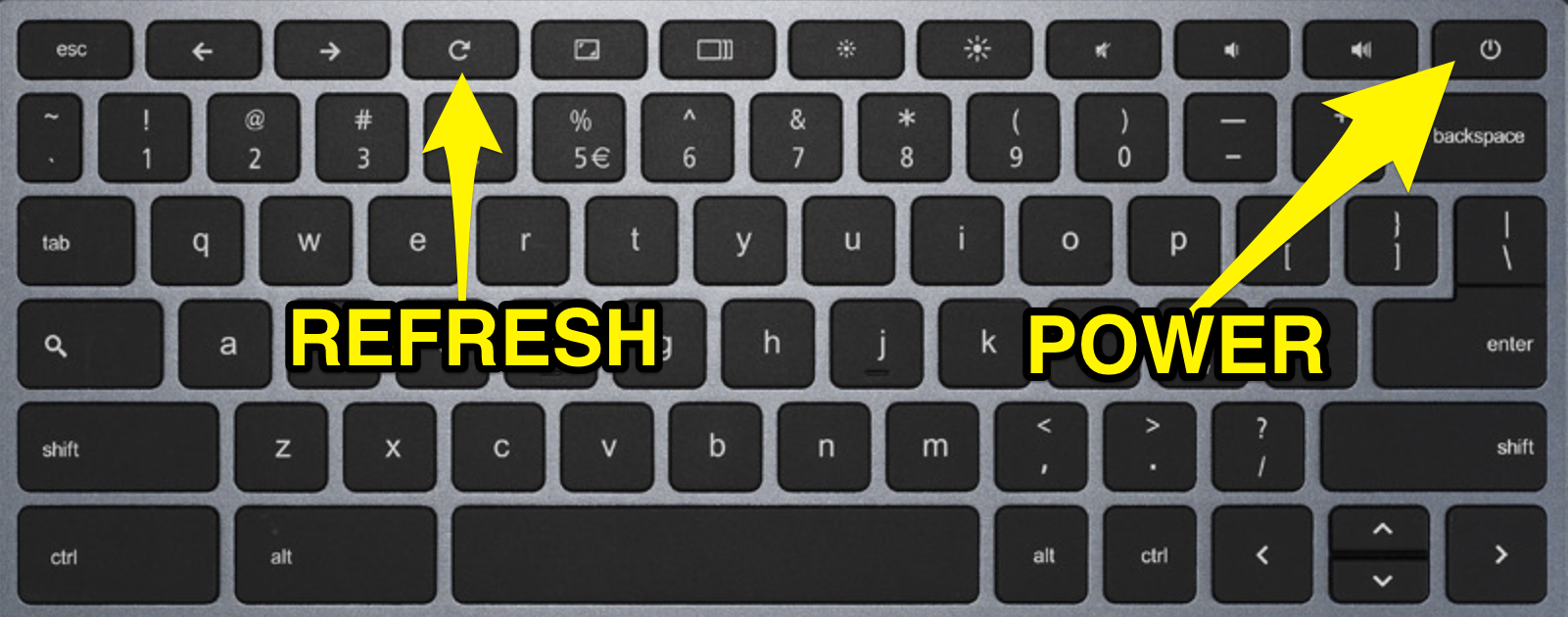
To turn off your Chromebook, press the "Power" 
You can also hold down the "Refresh" button and tap the "Power" button to restart your Chromebook.
If you are still having any difficulties with your Chromebook, please refer to the following article to reach out to tech support.