
If you are having trouble finding a course in your Canvas dashboard, there are a couple reasons it might not be appearing:
Accept Course Invitation
If you were just recently enrolled in a course, you may need to accept your invitation to the course before it will show up on your dashboard.
- Check to see that you have accepted the invitation to enroll in the course. You’ll be able to see this invite at the top of your Canvas dashboard.
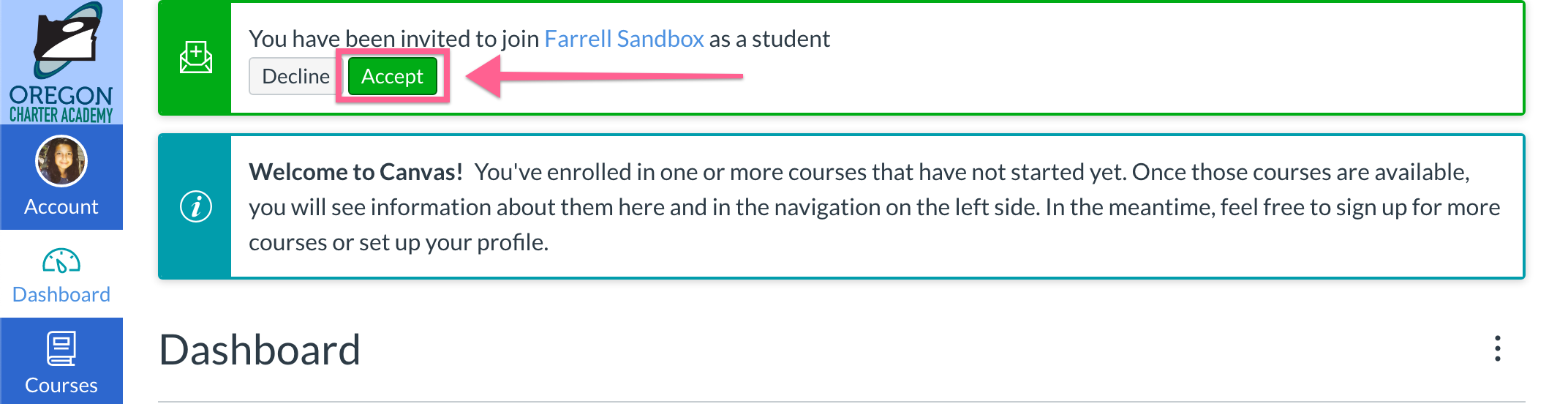
If you aren't able to view the invite, try clicking on the "Reload this page" icon found to the left of your search bar of the Chrome web browser.
 - If you haven't, click "Accept", and you'll be able to view the course in your dashboard.
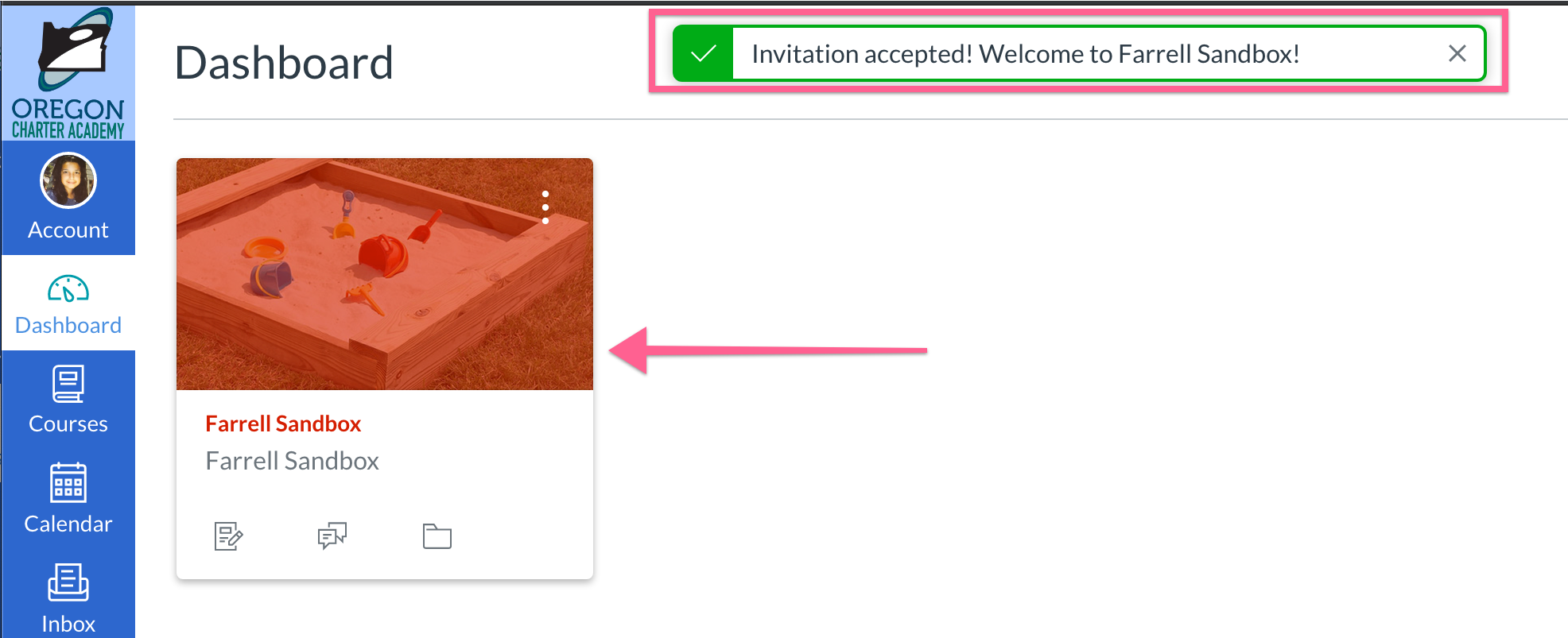
Check under "All Courses".
If your course doesn't appear on your dashboard, it could be the the course is from a past term, or a term that hasn't started yet. This could also be because you are enrolled in enough courses that they won't all fit on your dashboard. Try the follow steps to view all of your courses in Canvas:
- Click on "Courses" found to the left of your dashboard and select "All Courses".
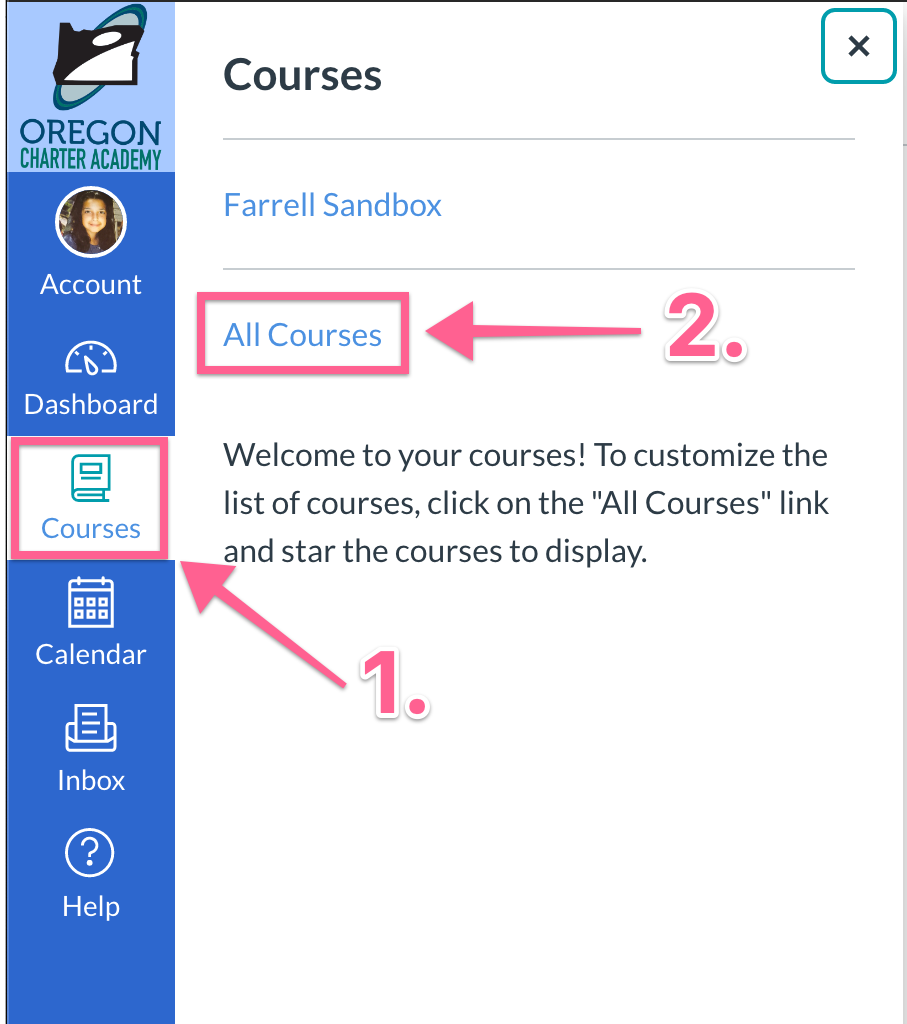
- From there, you'll be able to locate all of the courses that you're enrolled in.

Additionally, in this page you can click the star next to any course to make them appear on your dashboard. For more information on favoriting courses, check out this article:
Why are my courses not appearing on my dashboard in Canvas?
If you're still running into issues regarding your course, please don't hesitate to reach out to tech support! There is a possibility that there has been an issue with your course enrollments, in which case the tech team may need to direct you to the ORCA office for additional support.
How do I get technical support?